Launch your first server
A step by step guide to launch your first server
Written By chloe kwok
Last updated About 1 year ago
Here’s how to launch your first server:
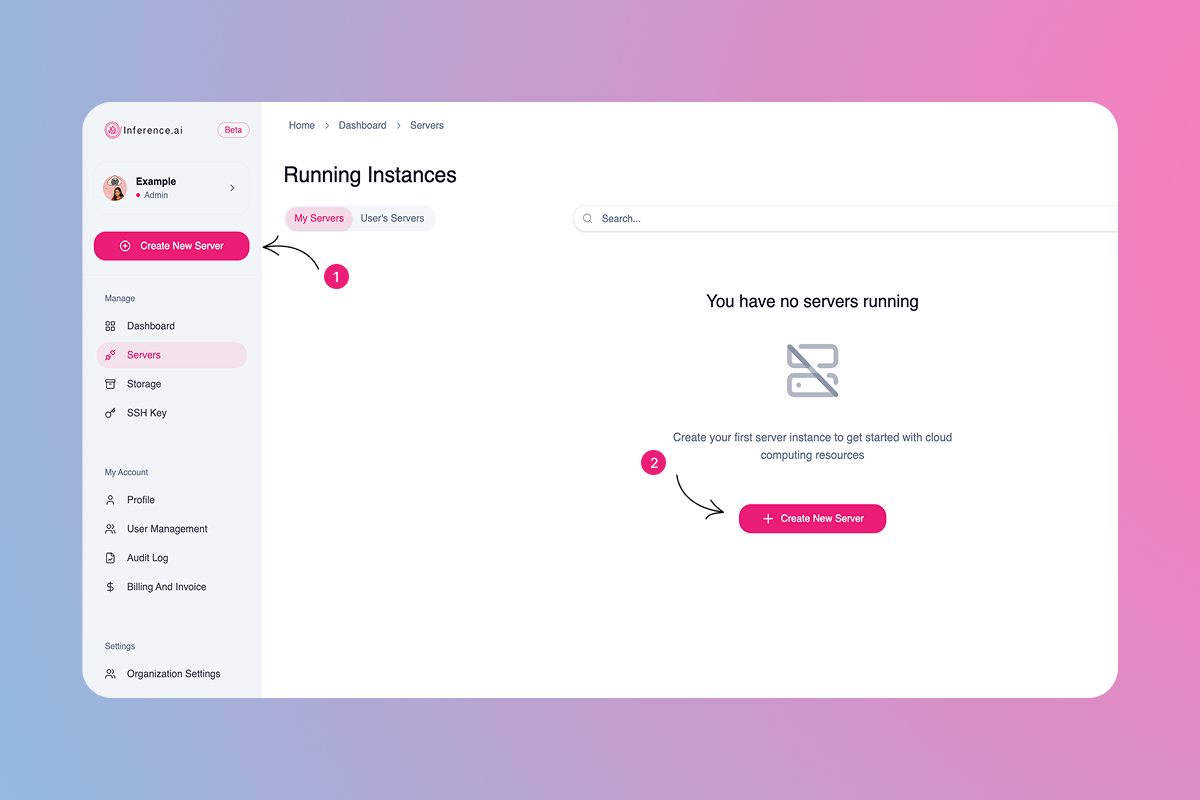
Navigate to
Serversin the left sidebar

Select
Create New Serverin the center or top left
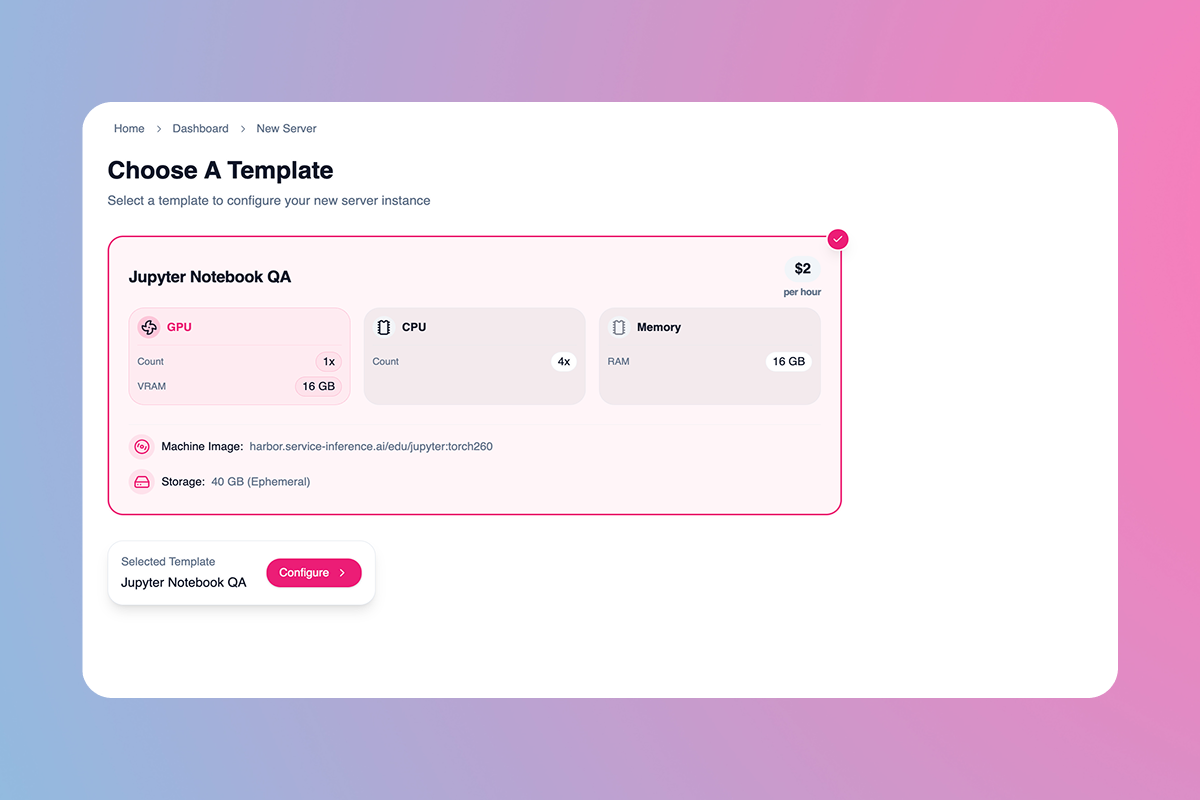
Select a template from your preconfigured options
Select
Configure
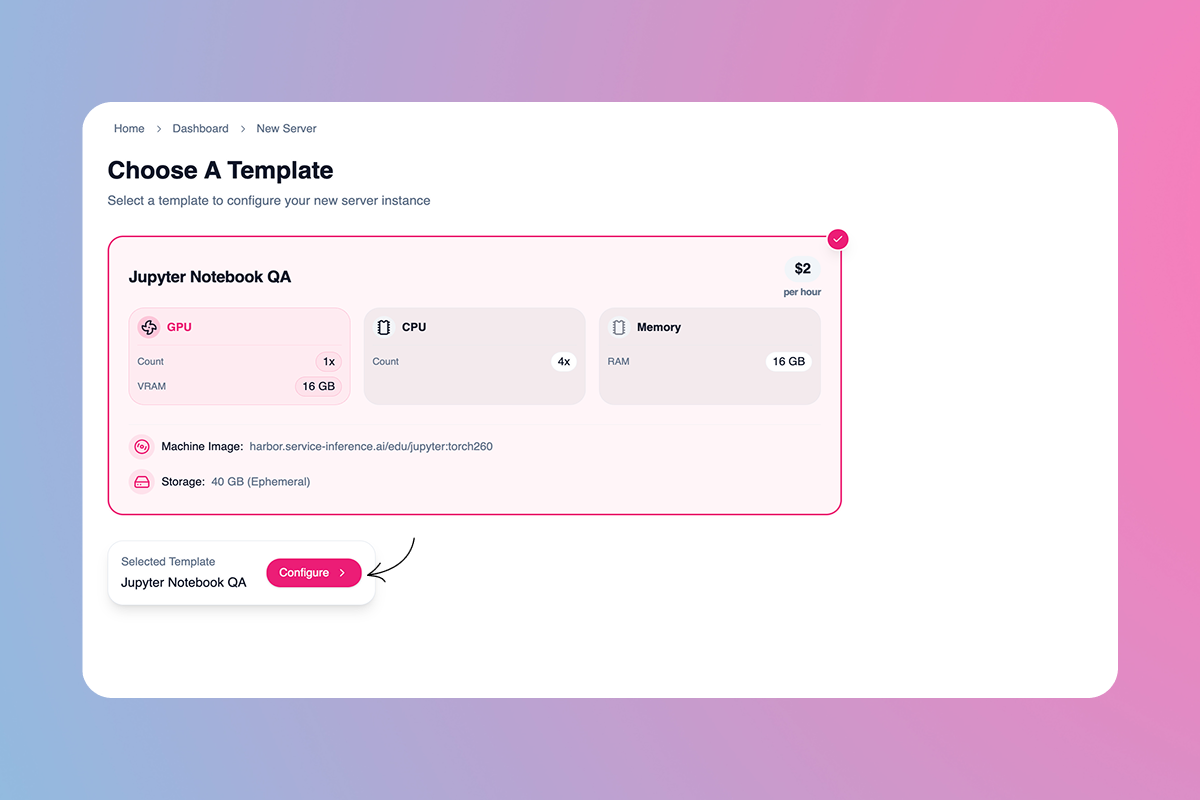
Select
Deployand you’re all set! 🚀

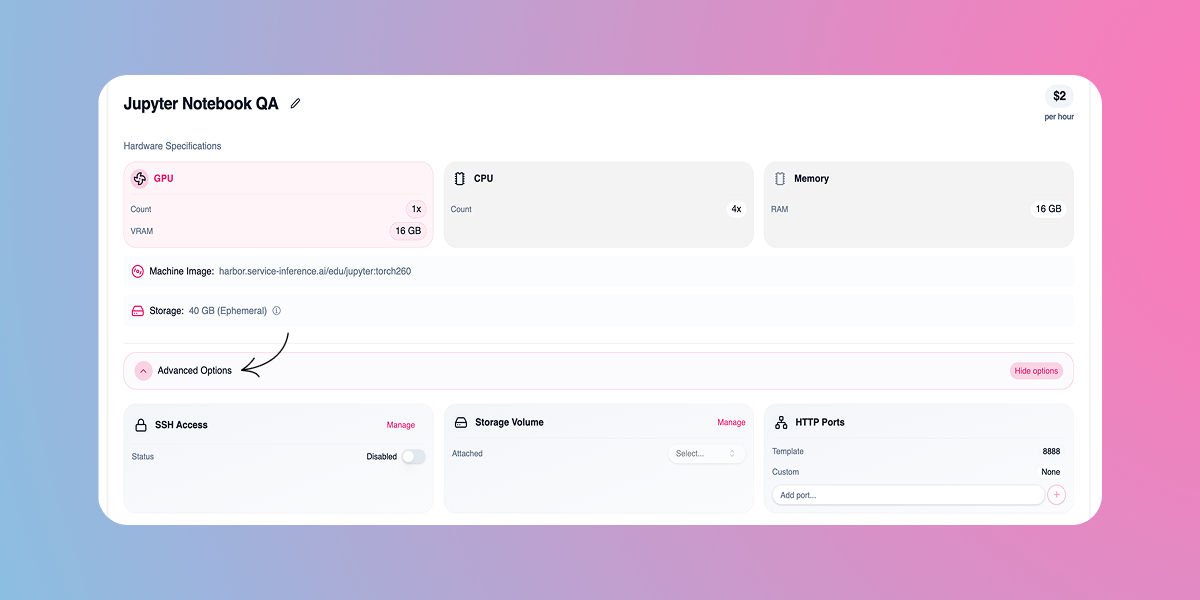
Pro tip: Select ‘Advanced Options’ in the Configurations menu to enable SSH access, attach a storage volume, or add a custom HTTP port
Still need help? Ask the team