Jupyter Notebook and VSCode
How to connect VSCode to your Jupyter notebook server.
Written By chloe kwok
Last updated Over 1 year ago
Prerequisites
VSCode installed
Python installed
Jupyter Extension for VSCode installed
Connecting VSCode to Your Notebook
Open VSCode and start a new Jupyter Notebook with
Command + Shift + Pon Mac andCtrl + Shift + Pon windows
In the top right corner, select the current kernel, which should prompt the search to appear. From here, choose to 'Select Another Kernel'

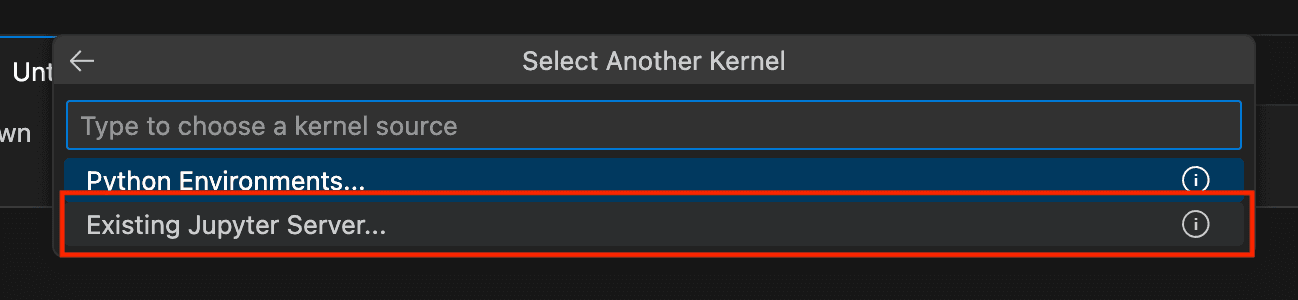
This should prompt another set of selections to appear, where you can choose 'Existing Jupyter Server'
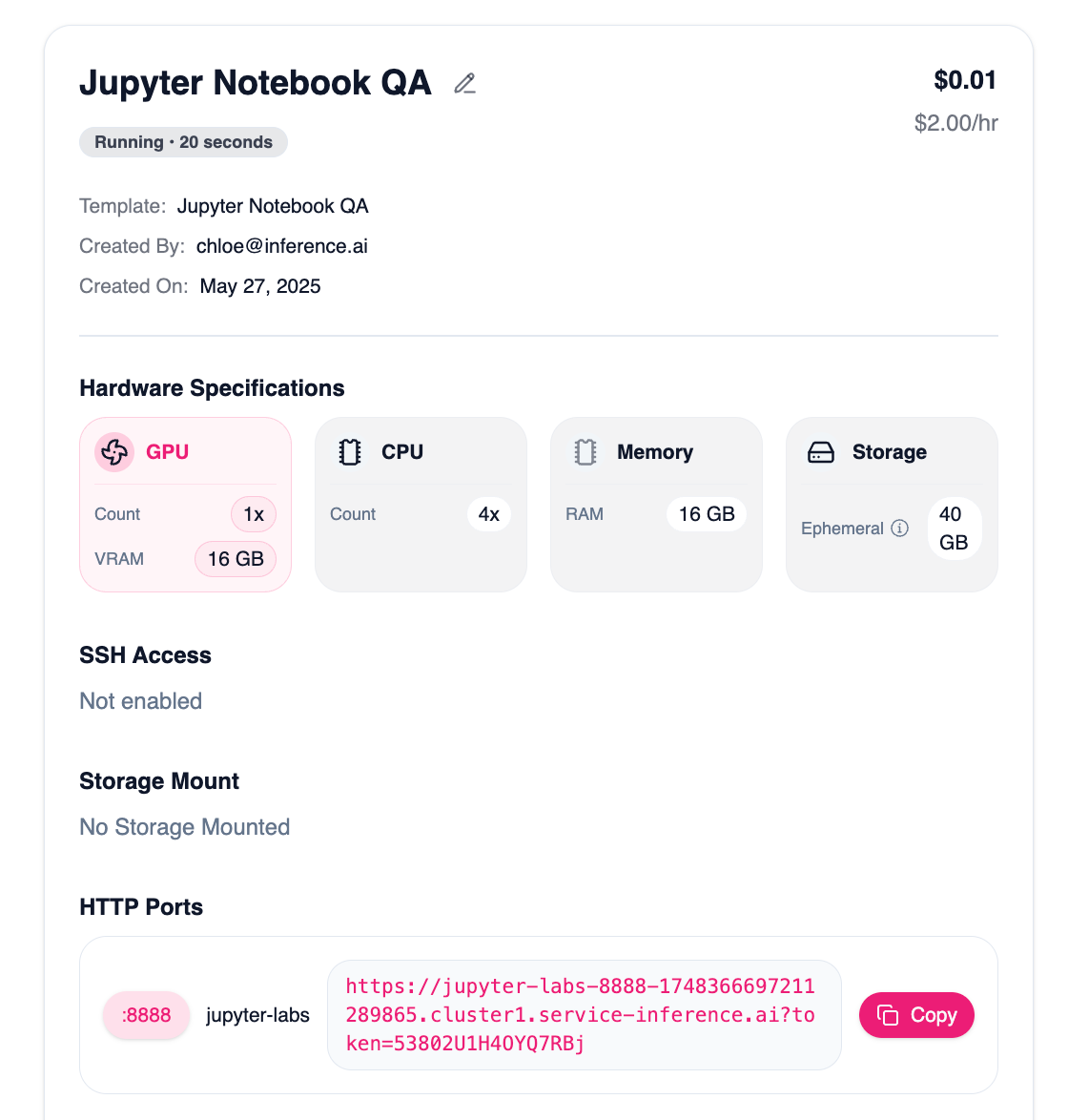
Open Inference.ai and navigate to your desired server and select ‘Server Details’
Copy and paste the link from the popup modal
Navigate back to VSCode, paste the link, and hit
Enter
Still need help? Ask the team